
Smart Grocery List Apps That Actually Save You Time
The Problem with Traditional Grocery Lists
We have all been there. You walk into the grocery store confident you remember everything you need, only to arrive home and realize you forgot the one ingredient that actually mattered. Or maybe you use a notes app on your phone, typing items in random order, then zigzagging through the store because your list does not match the aisle layout.
Traditional grocery lists, whether on paper or in a basic notes app, create three common problems:
- Forgotten items: Without a structured system, it is easy to overlook staples you assumed you would remember.
- Wasted time: An unorganized list means more backtracking through aisles and longer trips overall.
- Overspending: Without price awareness or budget tracking, impulse purchases add up fast.
A smart grocery list app solves all three of these problems by bringing structure, intelligence, and efficiency to your shopping routine.
What to Look for in a Grocery App
Not all grocery apps are created equal — we break down how the popular options stack up in our app comparisons. Here are the features that actually make a difference:
Automatic Categorization
The best grocery apps automatically sort your items by category or aisle. When you add “bananas” and “chicken breast,” the app should group them under produce and meat respectively. This simple feature alone can cut your shopping time significantly.
Shared Lists
If you live with a partner, roommates, or family, shared lists ensure everyone can add items in real time. No more texting back and forth or duplicating purchases because two people bought the same thing.
Price Tracking and Budgets
Some apps let you set estimated prices for items and track your running total as you shop. This helps you stay within budget and makes it easier to compare costs between stores over time.
Offline Access
Grocery stores are not always known for great cell service, especially in basement-level locations or rural areas. An app that works offline ensures your list is always available when you need it.
Simple, Fast Input
If adding an item takes more than a few seconds, you will stop using the app. Look for features like autocomplete suggestions, voice input, and quick-add buttons that make list building effortless.
How CartWise Solves These Problems
CartWise was designed specifically to address the frustrations of everyday grocery shopping. Here is how it works:
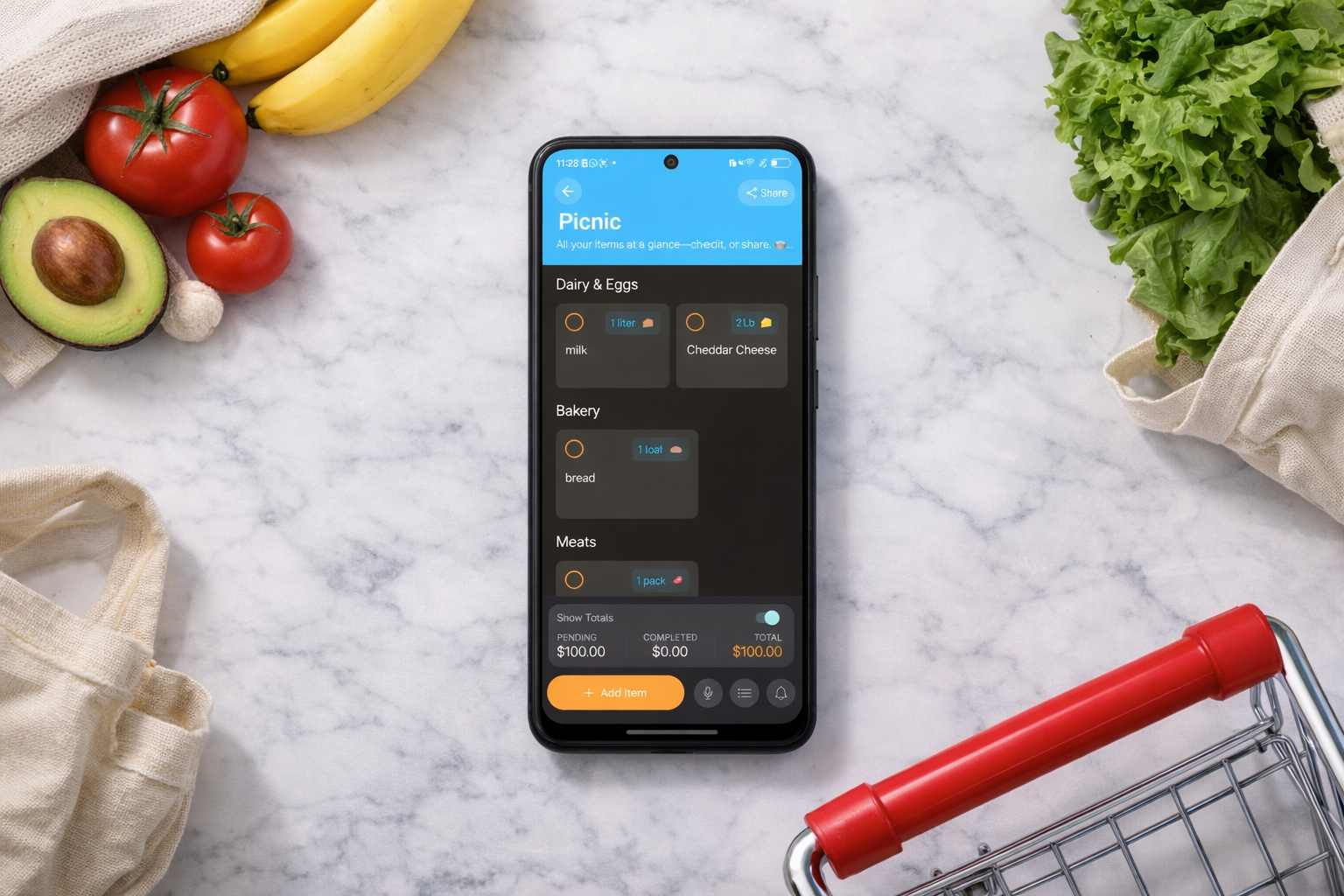
Smart categorization: When you add items to your list, CartWise automatically groups them by store section. Your shopping route becomes logical and efficient, reducing the time you spend wandering between aisles.
Quick add with suggestions: CartWise learns from your shopping history and suggests items you frequently buy. Building your weekly list takes seconds instead of minutes because the app already knows your patterns.
Budget awareness: Set a budget for your shopping trip and CartWise tracks your estimated total as you check items off. You will know before you reach the checkout whether you are on track or need to make adjustments.
Offline-first design: Your lists are stored locally on your device, so they are always accessible regardless of your internet connection. Changes sync automatically when you are back online.
Clean, focused interface: CartWise avoids the feature bloat that plagues many productivity apps. There are no social feeds, no recipe databases, and no meal planning modules cluttering the experience. It does one thing, managing your grocery list, and it does it exceptionally well.
Tips for Getting the Most Out of Your Grocery App
Regardless of which app you choose, these habits will help you shop smarter:
- Build your list throughout the week: Add items as soon as you run out of them instead of trying to remember everything the night before shopping day.
- Review before you leave: Take 60 seconds to scan your list and remove anything you no longer need. This prevents impulse buying from an inflated list.
- Shop at consistent times: Going to the store at the same time each week helps you develop a routine and makes the process feel automatic.
- Check off items as you go: Marking items complete in the app keeps you focused and ensures nothing gets skipped.
- Use the budget feature: Even a rough estimate of prices helps you stay conscious of spending and avoid checkout surprises.
Final Thoughts
The difference between a stressful grocery run and an efficient one often comes down to preparation. A smart grocery list app removes the mental load of remembering, organizing, and budgeting so you can focus on getting what you need and getting home.
If you have been relying on paper lists or basic notes apps, give it a try for your next shopping trip. You might be surprised how much time and money a purpose-built tool can save you.