
AI Grocery List Generator: Build a Full List in Seconds
What an AI Grocery List Generator Does
Instead of typing your shopping list item by item, you just say what you need — and the app builds the list for you. That’s the whole idea. You talk the way you normally would (“two liters of milk, a dozen eggs, some bananas…”) and the items show up on your list, already separated and sorted.
The point isn’t novelty. It’s speed. Rattling off a week’s shopping out loud takes a few seconds. Typing it takes minutes — and you usually forget something halfway through.
Build Your List Just by Talking
In CartWise, this takes four quick steps:
Step 1 — Tap the microphone on your list It’s in the list’s action bar. Tap it and start speaking.
Step 2 — Say everything you need, naturally No special phrasing. Just talk: “two liters of milk, a dozen eggs, chicken thighs, dish soap, and some bananas.” It listens in your language — you don’t switch to English.
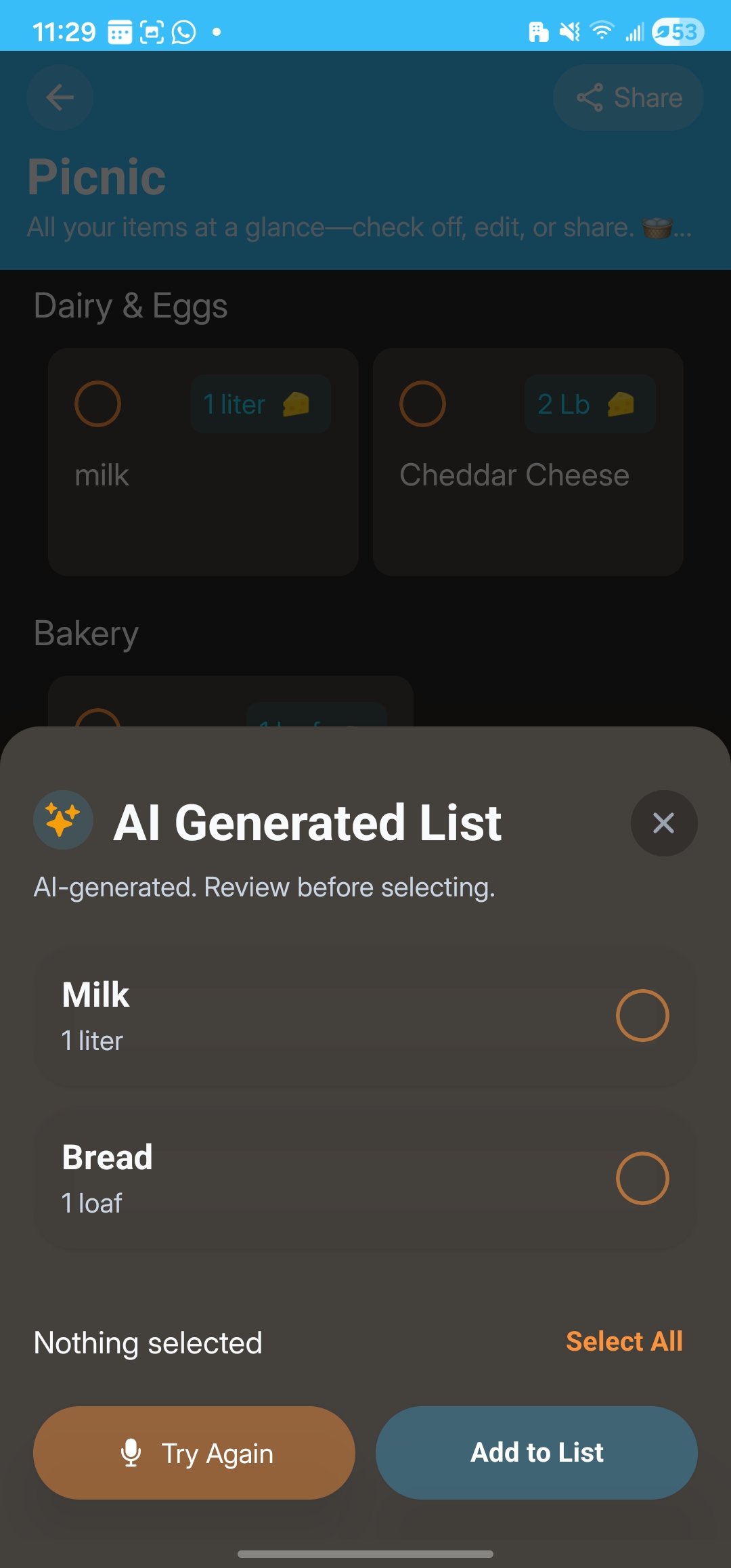
Step 3 — Check the list it builds CartWise turns your words into separate items, each with a quantity, and groups them by store section. You see the full list before anything is added — keep what you want, drop what you don’t, or record again if you misspoke.
Step 4 — Done, and ready to shop Confirm, and the items land on your list, already sorted by aisle so you move through the store in order. They’re saved on your phone, so the list still works even with no signal.
It Stays in Your Language
Say it in Spanish, Portuguese, German, or English, and your items stay in that language — “leche” stays “leche,” not “milk.” If you shop in a language other than English, that’s the difference between a list you can read at a glance and one you have to re-translate in the aisle.
Nothing Gets Added Without Your Okay
The AI never writes straight to your list. It shows you what it understood first, and you confirm. So if it mishears something, you catch it in two seconds — your list never fills up with surprises.
Don’t Feel Like Talking? Start From a Ready-Made List
Open a new list and you’ll see one-tap starters — themed lists like “Party” or “Healthy reset” — plus quick-add chips for common items. Tap one and you’ve got a head start instead of a blank page. The starters rotate over time, so they stay fresh and you’re not looking at the same suggestions every week.
Free, No Account Needed
CartWise’s AI is free to use, with a fair daily limit instead of a paywall:
- Building lists by voice: 10 AI lists per day on the free plan — plenty for a normal week. Pro removes the limit.
- Starter lists and quick-add suggestions: free for everyone.
- No account, ever. Open the app and start. Sharing a list doesn’t require the other person to sign up either.
No email, no trial, no card. It works offline once your list is built.
The Bottom Line
The most tedious part of shopping is turning “what I want to cook” into “what I need to buy.” Saying it out loud and letting CartWise build the list skips that entirely — in your language, sorted by aisle, and always under your control.
If you’ve never built a grocery list by talking, your next shop is a good time to try it.